Fix a problem with crew doctor
Run crew doctor.
It checks Node, Claude Code, your crew home and settings, every member’s folder and links, and the default tools, and prints a fix: line under anything wrong.
crew doctor --logins also asks Claude Code whether each member is logged in.
Read the doctor’s lines
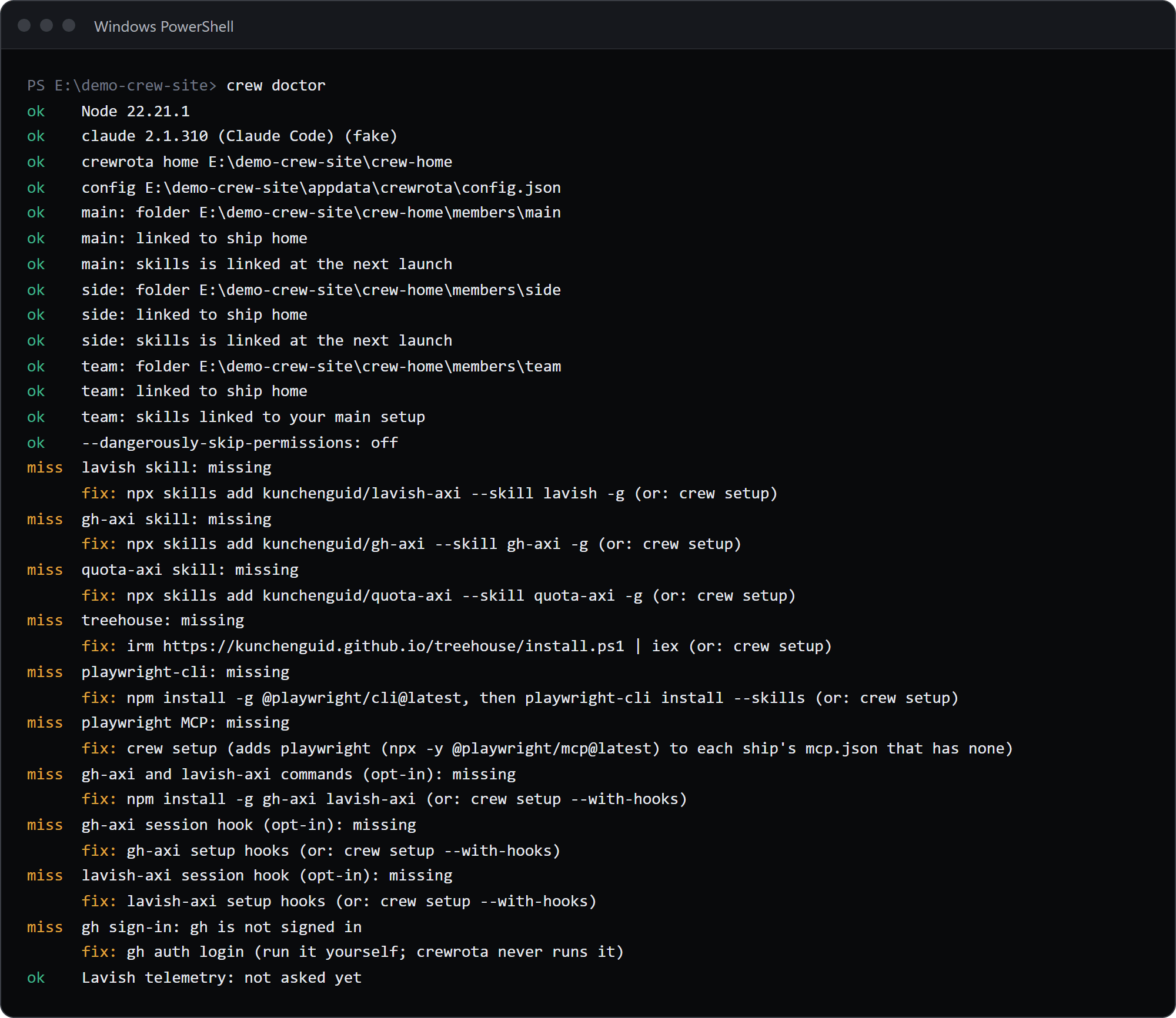
Section titled “Read the doctor’s lines”This demo crew has a member whose folder is gone:
crew doctorok Node 22.21.1ok claude 2.1.310 (Claude Code) (fake)ok crewrota home E:\demo-crew-pages1\crew-homeok config E:\demo-crew-pages1\appdata\crewrota\config.jsonok main: folder E:\demo-crew-pages1\crew-home\members\mainok main: linked to ship homeok side: folder E:\demo-crew-pages1\crew-home\members\sideok side: linked to ship homeFAIL team: folder E:\demo-crew-pages1\crew-home\members\team is missing fix: Log it in again with: crew login team (or drop it with: crew drop team)ok --dangerously-skip-permissions: offmiss lavish skill: missing fix: npx skills add kunchenguid/lavish-axi --skill lavish -g (or: crew setup)miss gh-axi skill: missing fix: npx skills add kunchenguid/gh-axi --skill gh-axi -g (or: crew setup)miss quota-axi skill: missing fix: npx skills add kunchenguid/quota-axi --skill quota-axi -g (or: crew setup)miss treehouse: missing fix: irm https://kunchenguid.github.io/treehouse/install.ps1 | iex (or: crew setup)miss playwright-cli: missing fix: npm install -g @playwright/cli@latest, then playwright-cli install --skills (or: crew setup)miss playwright MCP: missing fix: crew setup (adds playwright (npx -y @playwright/mcp@latest) to each ship's mcp.json that has none)miss gh-axi and lavish-axi commands (opt-in): missing fix: npm install -g gh-axi lavish-axi (or: crew setup --with-hooks)miss gh-axi session hook (opt-in): missing fix: gh-axi setup hooks (or: crew setup --with-hooks)miss lavish-axi session hook (opt-in): missing fix: lavish-axi setup hooks (or: crew setup --with-hooks)miss gh sign-in: gh is not signed in fix: gh auth login (run it yourself; crewrota never runs it)ok Lavish telemetry: not asked yetThe (fake) comes from the stand-in for Claude Code the demo uses.
| Mark | Meaning |
|---|---|
ok |
Fine |
miss |
An optional tool is missing, or gh is not signed in. Never fails the doctor |
FAIL |
Something crewrota needs is wrong; the fix: line says what to do |
crew doctor exits with code 1 when any FAIL line is printed, and 0 otherwise.
In a terminal ok is green, miss amber and FAIL red.
What each check means
Section titled “What each check means”| Check | When it fails | Fix |
|---|---|---|
Node |
Below Node 22 | Install Node.js 22 or newer from https://nodejs.org, then open a new terminal |
claude |
claude was not found |
The Claude Code install command for your platform (below) |
crewrota home |
The crew home cannot be read | Check the folder’s permissions |
config |
config.json is not valid JSON |
Fix the JSON, or rename the file so crewrota starts a fresh one |
<member>: folder |
The member folder is missing | crew login <member>, or crew drop <member> |
<member>: linked to ship |
The link to the ship is missing, is a folder, or points elsewhere | crew run <member>: crewrota repairs links before every launch |
<member>: skills, agents, commands |
A link to your main setup is broken | crew run <member>; for “is a folder, not a link”, move that folder away first |
<member>: logged in (with --logins) |
Claude Code says the member is not logged in | crew login <member> |
VS Code (only once you have a shortcut) |
VS Code was not found | Install VS Code; on a Mac, also add code to PATH |
The fix for a missing claude, as crew doctor prints it on each platform:
| Platform | Fix |
|---|---|
| Windows | irm https://claude.ai/install.ps1 | iex (or winget install Anthropic.ClaudeCode), then open a new terminal |
| macOS | curl -fsSL https://claude.ai/install.sh | bash (or brew install --cask claude-code), then open a new Terminal window |
| Linux | curl -fsSL https://claude.ai/install.sh | bash, then open a new shell |
On Windows, the doctor also finds a claude installed through npm, which is a .cmd file only cmd.exe can start.
Commands that need a terminal
Section titled “Commands that need a terminal”These ask a question, so they stop with exit code 1 when there is no terminal (both input and output must be a terminal):
| Command | Message without a terminal | Headless instead |
|---|---|---|
crew (the menu) |
The menu needs a terminal. Without one, use: crew run <member> |
crew run <member> |
crew add <member> |
Adding a crew member needs a terminal. It runs Claude Code's own login. |
none: a person signs in |
crew use <missing member> |
Crew member <m> doesn't exist. Creating it needs a terminal. Run crew add <m> in a terminal. |
crew add in a terminal |
crew ship join to a missing ship |
Ship <s> doesn't exist. Creating it needs a terminal. Make it first with: crew ship create <s> |
crew ship create <s> first |
crew drop without --yes |
Confirming the drop needs a terminal. Pass --yes to drop without asking. |
--yes |
crew ship delete without --yes |
Confirming the deletion needs a terminal. Pass --yes to delete without asking. |
--yes |
crew setup with something to install |
crew setup asks once before it installs anything, and that needs a terminal. Run it in a terminal, or pass --yes to install without asking. |
--yes |
crew backup or crew restore with --password |
--password needs a terminal, or the password in CREWROTA_BACKUP_PASSWORD. |
set CREWROTA_BACKUP_PASSWORD |
| The first launch, before the permissions answer | crewrota asks once whether to use --dangerously-skip-permissions, and that needs a terminal. |
crew config permissions on or off |
crew login does not check, but it hands the terminal to Claude Code’s login, so run it yourself.
Common errors
Section titled “Common errors”Most errors print as crewrota: <message> on stderr and exit with code 1.
| Message | What to do |
|---|---|
Unknown option: --resume (or another Claude flag) |
Put Claude’s flags after --: crew main -- --resume <id> |
Unknown command: <args> |
crew prints the help; check the command name, or add the member first |
No crew member chosen. Pick one with: crew use <member> |
Name a member, or set a current one |
Crew member <m> doesn't exist. Create it with: crew add <m> |
Check crew list, or add it |
The folder of crew member <m> is missing: <folder>. Log it in again with: crew login <m> |
crew login <m> makes the folder and signs it in |
"<name>" is not a valid ship name. A ship name uses lowercase letters, digits and hyphens, starts with a letter, and is at most 32 characters. |
Pick a name that fits the rule; members and shortcuts use the same rule |
Windows refused to move <folder> because a file in it is in use, probably by a running Claude session. Close it and try again. |
Close every Claude session of that member (or on that ship) and run the command again |
<file> is not valid JSON (...). Nothing launched. |
Fix that file: a ship’s mcp.json, or your main ~/.claude.json or a member’s .claude.json |
<link> is in the way of the link to <source>. Move it somewhere else and launch again. Nothing launched. |
Move that folder out of the member folder |
<file> is a link, and crewrota only writes a member's own files. Remove the link and launch again. |
Remove that link from the member folder |
crewrota needs bsdtar to write and read a backup zip (on Linux, install libarchive-tools). |
Install libarchive-tools, or set CREWROTA_TAR |
The widget needs Python 3 with Tk (the python.org installer includes both). Install it, then try again. |
Install Python 3 with Tk, or set CREWROTA_PYTHON |
VS Code was not found. Install it from https://code.visualstudio.com, then try again. |
Install VS Code, or set CREWROTA_CODE |
Exit codes
Section titled “Exit codes”0when a command succeeds,1when it fails.crew runandcrew <member>return Claude Code’s own exit code.crew currentexits with 1, and prints nothing, when there is no current member.crew doctorexits with 1 only when aFAILline is printed.crew widget closeexits with 1 when the widget is still open after 5 seconds.
See Exit codes for the full list.
Still stuck
Section titled “Still stuck”Report it as a GitHub issue at https://github.com/pasindu-premachandra/crewrota/issues, with the output of crew --version and crew doctor.
Check the doctor output for folder paths you would rather not share before you paste it.