crew backup and crew restore reference
crew backup writes one zip with every ship, the member list, the settings, your project .claude folders and your main skills, and never a login.
crew restore <zip> merges it into this machine: ships merged, missing members made again without a login, .claude folders and skills added, project folders renamed to this machine’s paths.
Both run without a terminal; with --password, the password then comes from CREWROTA_BACKUP_PASSWORD.
A task-by-task walk-through is in Move your crew to a new machine.
crew backup
Section titled “crew backup”crew backup [--to <folder>] [--password] [--skip <folder>]... [--no-context] [--dry-run]| Flag | Default | What it does |
|---|---|---|
--to <folder> |
the current folder | Where the zip is written; the folder is made if needed |
--password |
off | Encrypt the zip with AES-256. Asked twice, hidden, in a terminal; without one, read from CREWROTA_BACKUP_PASSWORD |
--skip <folder> |
none | Leave a project, or any folder inside a .claude, out; repeat it for more |
--no-context |
off | Write only the ships, the member list and the settings: no project .claude folders and no main skills |
--dry-run |
off | Print the report and write nothing; no password is asked |
The zip is crewrota-backup-<yyyymmdd-hhmm>.zip.
$ crew backup --to E:/demo-crew-inventory/out
[OK] Backup written: E:\demo-crew-inventory\out\crewrota-backup-20261104-1827.zip[i] 8.2 KB, 1 ship, 2 members[i] 1 project .claude folders and 1 skills: 8 files, 1.1 KB[i] Largest (leave one out with --skip <folder>):      1.0 KB  E:\demo-crew-inventory\proj\site\.claude    43 bytes  E:\demo-crew-inventory\home\.claude    37 bytes  E:\demo-crew-inventory\proj\site\.claude\tasks\landing[!] 1 files look like they hold a key (AWS key). Add --password to encrypt the backup:  E:\demo-crew-inventory\proj\site\.claude\tasks\landing\evidence\notes.txt[i] No login is in it: after a restore, each member signs in again with crew login <member>.
[exit code 0]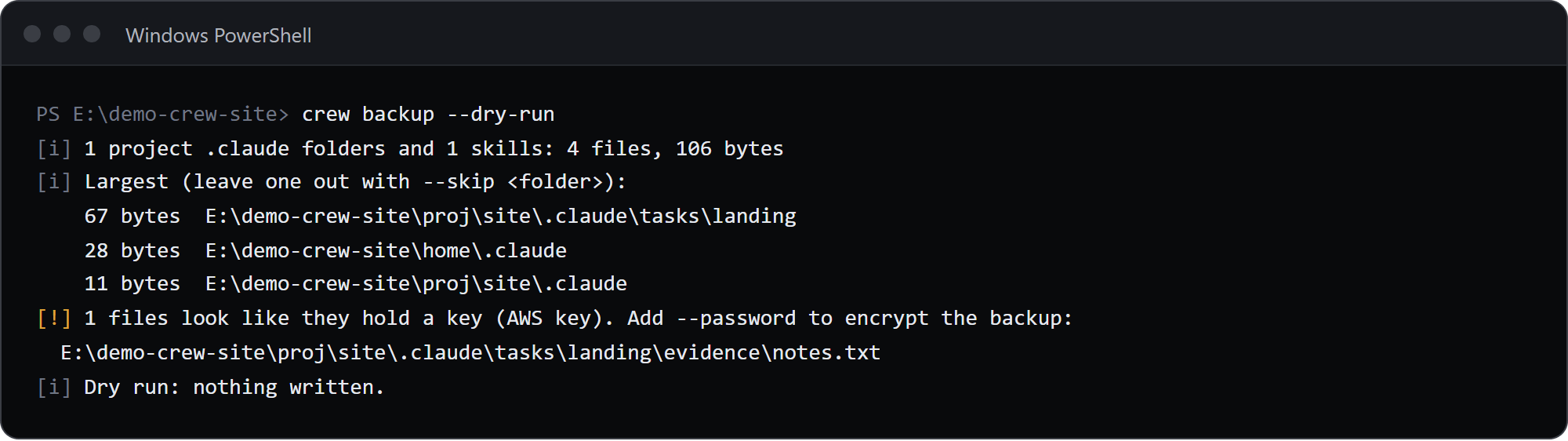
What goes in
Section titled “What goes in”manifest.json: the backup format (2), the crewrota version, the time, the platform, your home folder, the ships, each member with its ship, model and effort, and the context it found.config.json: your settings.ships/<ship>/: each ship’s five folders and itsmcp.json, keys included.context/roots/r<N>/.claude: each project.claudefolder, and aCLAUDE.mdbeside it when git does not track it.context/main/: the skills, agents, commands andCLAUDE.mdfrom~/.claude. A linked skill is stored as real files.
How the projects are found: crewrota reads the folders Claude Code worked in from the transcripts and .claude.json files, takes every .claude at or above them, and looks up to six levels below the top-most of them. Config folders and linked git worktrees are skipped.
What stays out
Section titled “What stays out”- Never a member folder, so never a login.
- Files by name:
.credentials*,.envand.env.*(but.env.example,.env.sampleand.env.templatego in),.netrc,.htpasswd,.npmrc,id_rsa,id_dsa,id_ecdsa,id_ed25519and their kin, and files ending in.pem,.key,.p12,.pfx,.pkcs12,.ppk,.keystore,.jks,.ovpn,.kdbor.keychain;settings.local.json;*.lock; earlier backup zips. - Folders by name:
node_modules,.git,worktrees,.worktrees,__pycache__,.venv,venv,.next,.trash.
The report
Section titled “The report”| Line | Meaning |
|---|---|
[OK] Backup written: <file> |
The zip, then its size, ships, members and encrypted when it is |
[i] N project .claude folders and N skills: N files, <size> |
What the context holds |
[i] Largest (leave one out with --skip <folder>): |
The five largest folders |
[i] N login or key files stayed behind: ... |
Files left out by name |
[!] Could not read N, left out: ... |
Files it could not read |
[!] <repo>: N changed files, N unpushed commits. Only pushed code comes back on a new machine. |
A repo with work that is not pushed, or no remote |
[!] N files look like they hold a key (<kind>). Add --password to encrypt the backup: |
A best-effort check of copied files under 1 MB for private keys and AWS, GitHub, GitLab, Anthropic, OpenAI, Slack, Stripe live, npm and Google API keys; only file names are printed, never the value. Not shown with --password |
[!] The backup holds the MCP servers of <ships> with their keys in plain text. Add --password to encrypt it. |
A ship has MCP servers and there is no password |
[!] --skip <folder>: no such folder. |
A --skip that does not exist |
[i] Dry run: nothing written. |
--dry-run |
[i] No login is in it: ... |
Always last |
Password
Section titled “Password”Every zip option goes to bsdtar in one --options string: zip:hdrcharset=UTF-8,zip:encryption=aes256.
File and folder names inside the zip stay readable even with a password; only the contents are encrypted.
$ crew backup --password --to E:/demo-crew-inventory/out
crewrota: --password needs a terminal, or the password in CREWROTA_BACKUP_PASSWORD.
[exit code 1]
In a terminal, Password for the backup and The same password again; they must match (The two passwords differ. Nothing written.).
Names outside plain ASCII
Section titled “Names outside plain ASCII”A file or folder name outside plain ASCII in the context (Sinhala, Tamil, Japanese, and so on) is stored as ~crew1, ~crew2 and so on, because the tar in current Windows crashes on such names.
The manifest maps them back, and the restore puts the real names back.
Other notes
Section titled “Other notes”- It needs bsdtar: on Windows
%SystemRoot%\System32\tar.exe, never thetaron PATH; elsewherebsdtar, or atarwhose--versionsays bsdtar. On Linux installlibarchive-tools.CREWROTA_TARnames another. Without one:crewrota needs bsdtar to write and read a backup zip (on Linux, install libarchive-tools). - It stages files in a
.crew-stage-*folder beside the zip and removes it after. - A zip of the same name fails:
<file> already exists. Wait a minute, or pick another folder with --to. - In a terminal, progress bars show the long steps on stderr; piped output and
CI=truehave none. --dry-run --no-contextstill gathers and reports the context; only a real backup leaves it out.
crew restore
Section titled “crew restore”crew restore <zip> [--map <old>=<new>]... [--password] [--clone]| Flag | Default | What it does |
|---|---|---|
--map <old>=<new> |
none | Put what was under <old> under <new> on this machine; repeat it for more. The longest match wins |
--password |
off | Open an encrypted zip. Asked once, hidden, in a terminal; without one, read from CREWROTA_BACKUP_PASSWORD |
--clone |
off | Clone each repo from its origin into its folder when the code is not there |
$ crew restore E:/demo-crew-inventory/out2/crewrota-backup-20261104-1827.zip --password --map E:\demo-crew-inventory\proj=E:\demo-crew-inventory\moved
[i] Project folders E--demo-crew-inventory-proj renamed to E--demo-crew-inventory-moved: 1[i] Project folders E--demo-crew-inventory-home renamed to E--demo-crew-inventory-home2: 0[OK] Ship home (new): 2 copied, 0 brought up to date, 0 already there, 0 kept beside a changed copy[OK] Main setup (1 skills): 1 copied, 0 brought up to date, 0 already there, 0 kept beside a changed copy[OK] Project .claude folders (1): 7 copied, 0 brought up to date, 0 already there, 0 kept beside a changed copy
[OK] Restored 1 ship and 2 members from E:/demo-crew-inventory/out2/crewrota-backup-20261104-1827.zip[i] Logins are never in a backup. Sign each new member in:  crew login main  crew login side
[exit code 0]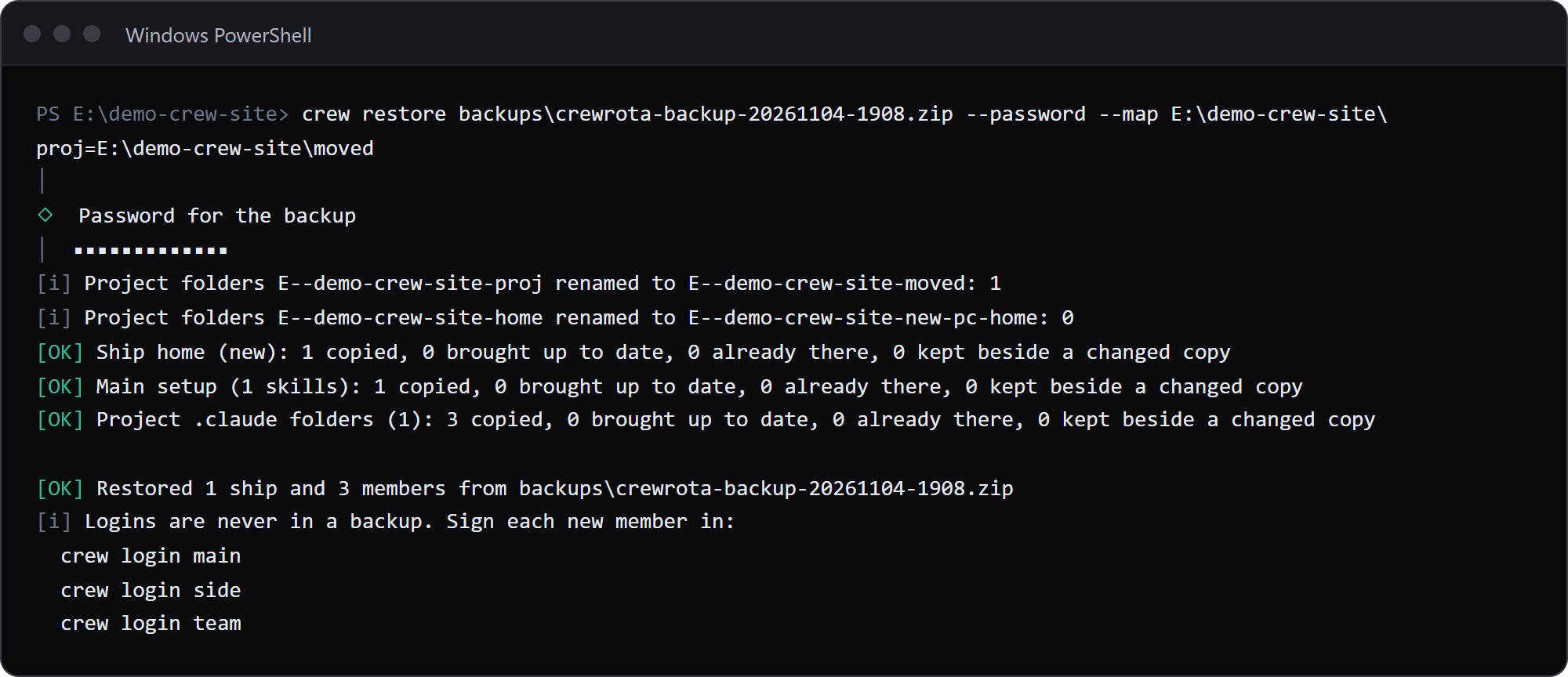
What it does, in order
Section titled “What it does, in order”- Unpacks the zip into
<crew home>/restore-<stamp>and refuses a zip that holds a link, has nomanifest.json, or has a format other than 1 or 2. - Renames the ships’ project folders to this machine’s paths. Claude Code names a project folder after its full path with every character other than an ASCII letter or digit made a hyphen, so
E:\ProjectsisE--Projects. Your old home folder maps to this one on its own;--mapadds more. A new name over 200 characters gets a warning, because Claude Code shortens such names with its own hash. - Merges each ship: new files copied, the same file skipped, a transcript that only grew brought up to date, a file changed on both sides kept beside yours as
<name>.incoming-<n><ext>. MCP servers the local ship lacks are added. - Makes every member you do not have, with no login, on its ship. A member you already have is left alone.
- Fills settings you have not set from the backup’s
config.json; your own settings stay. - Adds the skills, agents, commands and
CLAUDE.mdto your main~/.claude, never overwriting; a skill that is a link here is left alone. - Puts each project
.claudeback at its folder, mapped by--mapand your home folder, and aCLAUDE.mdthat git did not track. With--clone, each repo is cloned first, into an empty folder or one holding only.claudeandCLAUDE.md. - Lists the plugins you had as
claude plugin install <id>lines. - Prints one
crew login <member>line per member it made, then deletes the unpacked folder.
Run it again at any time: what is already there is skipped.
$ crew restore E:/demo-crew-inventory/out/crewrota-backup-20261104-1827.zip --map E:\demo-crew-inventory\proj=E:\demo-crew-inventory\moved
[i] Project folders E--demo-crew-inventory-proj renamed to E--demo-crew-inventory-moved: 1[i] Project folders E--demo-crew-inventory-home renamed to E--demo-crew-inventory-home2: 0[OK] Ship home: 0 copied, 0 brought up to date, 2 already there, 0 kept beside a changed copy[OK] Main setup (1 skills): 0 copied, 0 brought up to date, 1 already there, 0 kept beside a changed copy[OK] Project .claude folders (1): 0 copied, 0 brought up to date, 7 already there, 0 kept beside a changed copy
[OK] Restored 1 ship and 0 members from E:/demo-crew-inventory/out/crewrota-backup-20261104-1827.zip[i] Already here, left alone: main, side
[exit code 0]
Messages
Section titled “Messages”| Message | Meaning |
|---|---|
<zip> is not a file |
The path is wrong |
<zip> is encrypted. Add --password. |
An encrypted zip without --password |
The password does not open <zip>. |
Wrong password |
--map takes <old folder>=<new folder>. |
A --map without =, or with an empty side |
The backup holds a link (<entry>), so crewrota restored nothing from it. |
The zip holds a link |
<zip> is not a crewrota backup: it has no manifest.json. |
Not a crewrota zip |
<zip> has backup format <n>; this crewrota reads formats 1 and 2. Update crewrota and try again. |
A newer backup |
[i] Added to ship <ship>'s MCP servers: <names> |
Servers the local ship lacked |
[!] <folder> already exists but is not a crew member, so <member> was not re-created. |
A folder is in the way |
[i] Skill <name> is a link here, left alone. |
A linked skill in your main setup |
[i] Code not here yet: <folder> (<remote>). Add --clone to fetch it. |
A repo whose code is missing |
[OK] Cloned <remote> into <folder> |
With --clone |
[!] Could not clone <remote> into <folder>. Its .claude still comes back; run this again once you have access. |
The clone failed |
[!] <folder> already holds other files, so <remote> was not cloned. |
The folder is not empty |
[!] <folder> had no remote, so its code is not coming back. |
A repo without origin |
[!] N folders have no place on this machine. Run this again with --map <old>=<new>: |
A drive that does not exist here |
[i] Plugins are installed from their marketplaces, not from a backup. Those you had: |
Followed by claude plugin install lines |
[i] Already here, left alone: <members> |
Members you already had |
A .claude folder can hold hooks and settings that run on your machine, so restore only a backup you made yourself.